AI writing tools have become part of most people's everyday workflow, but they've also created a new problem: text that sounds a little too stiff, too repetitive, or too obviously machine-written. That's where a free AI humanizer with no signup comes in — a tool that lets you paste a draft, rewrite it into something more natural, and get a result back in seconds without creating an account first.
This guide covers what an AI humanizer actually does, why "no signup" matters more than people expect, how to evaluate whether a free tool is any good, and how to use one responsibly as part of a real editing process — not as a shortcut around it.
What Is an AI Humanizer?
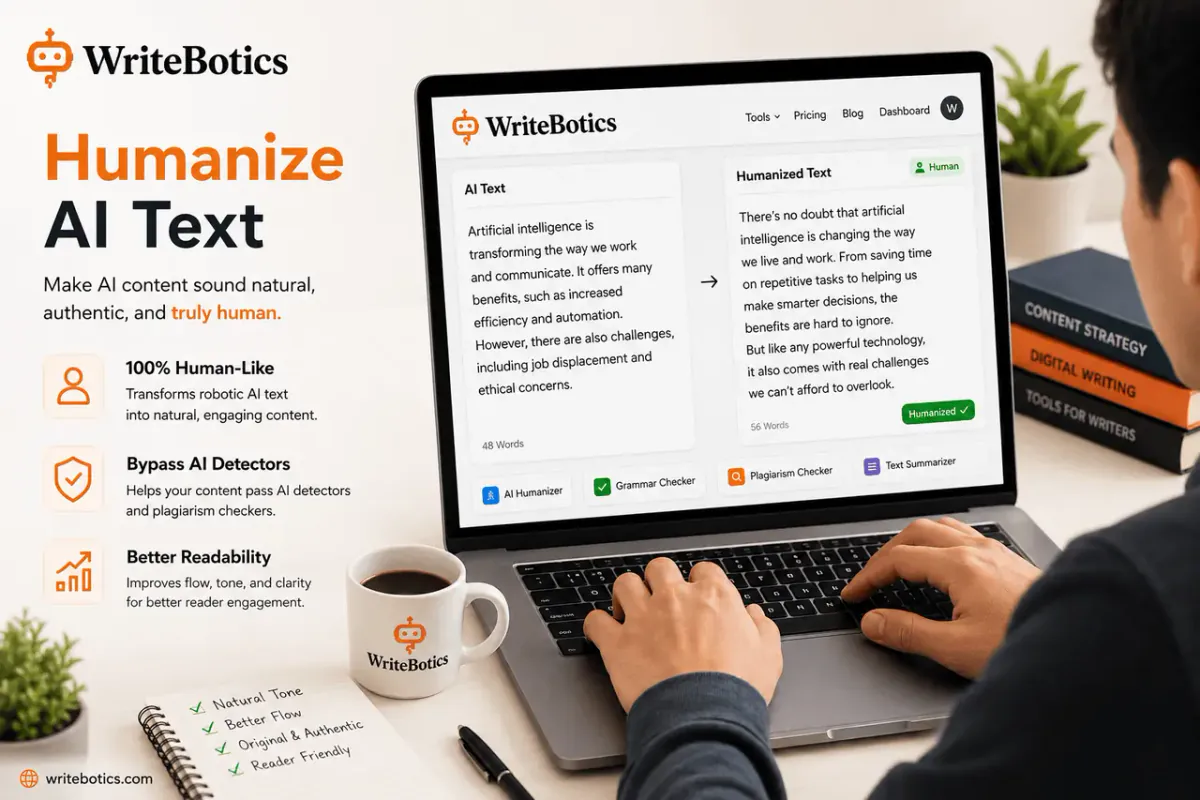
An AI humanizer is a tool that takes machine-generated or overly formulaic text and rewrites it to read more like something a person would naturally write. Instead of just swapping synonyms, a good humanizer adjusts sentence rhythm, varies structure, and smooths out the repetitive patterns that make AI text easy to spot — while trying to keep the original meaning intact.
That's an important distinction. A humanizer isn't meant to invent new claims or change what a piece of writing says. It's meant to change how it says it, so the final draft reads less like a template and more like a first-person voice.
Most people reach for a humanizer for a few practical reasons:
- Turning an AI-assisted first draft into something ready to publish
- Making blog posts, emails, or product copy sound less repetitive
- Smoothing out translated or paraphrased text
- Reducing the flat, overly uniform tone that comes from relying on a single AI model
Why "No Signup" Actually Matters
A lot of writing tools ask for an email address, a free account, or a credit card "just in case" before you can try anything. For a quick task — cleaning up one paragraph, checking a single email, testing whether a tool is even useful to you — that friction adds up.
A no-signup AI humanizer removes that barrier entirely. You open the tool, paste your text, and get a rewritten version back. There's no account to manage, no password to remember, and no inbox full of onboarding emails afterward. That matters most in a few common situations:
- You're testing a tool for the first time. You want to see the quality of the output before committing anything.
- You have a one-off task. Not everyone needs a recurring writing tool — sometimes it's a single email or a single paragraph.
- You're mindful about what you share online. Fewer accounts means less personal data spread across services you may only use once.
If a tool is genuinely useful, it should be able to demonstrate that in a single session — no login wall required.
What to Look For in a Free AI Humanizer
Not all "free" tools are created equal. Some limit you to a handful of words, some hide the real functionality behind a paywall after the first try, and some produce text that reads more awkward than the original. Here's what actually separates a useful humanizer from a gimmick:
Meaning preservation. The rewritten version should say the same thing as the original — not add claims, drop context, or change facts.
Natural sentence variation. Good output mixes sentence length and structure the way a person naturally would, rather than applying the same transformation to every sentence.
No hidden signup wall. If "free" only means the first 50 words are free, that's not really a no-signup tool — it's a signup tool with a preview.
A workspace you can actually review in. You should be able to see the input and result side by side, so you can check tone and accuracy before using the text anywhere.
Reasonable limits, clearly stated. Free tools will always have some usage boundaries. The important part is that those limits are transparent rather than a surprise halfway through your task.
How to Use an AI Humanizer the Right Way
A humanizer works best as one step in a review process, not a replacement for one. A simple, reliable workflow looks like this:
1. Start with your draft. This can be AI-generated, translated, or just a rough first pass you wrote yourself.
2. Run it through the humanizer. Paste the text into a free workspace like WriteBotics' AI Humanizer and review the rewritten version it returns.
3. Check the result for accuracy. Read it back against the original. Confirm nothing important was lost or changed in meaning.
4. Check tone and audience fit. A rewrite that's more "natural" in general might still not match the voice you actually need — formal, casual, technical, and so on. Adjust manually where needed.
5. Run a second pass if it's going somewhere formal. If the text is heading into an academic, professional, or published context, it's worth checking it against a tool like an AI Content Detector as one extra signal — not proof of anything, just one more data point before you finalize the draft.
The goal isn't to make text "undetectable." It's to make it read the way you'd actually want it to sound if you'd written every sentence yourself.
A Note on Responsible Use
It's worth being direct about this: an AI humanizer is a writing aid, not a loophole. If you're submitting work for school, for a client, or under any policy that governs how AI assistance can be used, that policy still applies regardless of how natural the final text sounds. Detectors are estimates, not proof, and humanizing text doesn't change your underlying obligation to follow the rules you're working under.
Used well, a humanizer helps you communicate more clearly and naturally. Used as a way to misrepresent authorship where honesty is expected, it just moves the problem — it doesn't solve it.
Frequently Asked Questions
Is a free AI humanizer really free, or is there a catch?
It depends on the tool. Some genuinely free tools apply usage limits (like a word count per session) instead of a paywall. Look for tools that state their limits clearly rather than surprising you mid-task.
Do I need to create an account to use WriteBotics' AI Humanizer?
No. You can open the AI Humanizer directly, paste your text, and review the result — no signup required.
Will a humanizer make my text pass every AI detector?
No tool can guarantee that, and treating it as a guarantee is the wrong way to use it. Detectors give estimates based on patterns, not certainty. Focus on producing clear, accurate writing rather than trying to "beat" a specific tool.
Can I use an AI humanizer for academic assignments?
You can use it to review and improve a draft, but you're responsible for following your school's or institution's specific rules about AI assistance and original work. When in doubt, check the policy first.
What's the difference between a humanizer and a paraphrasing tool?
A paraphrase tool focuses on rewording sentences while keeping the structure fairly close to the original. A humanizer goes a step further, adjusting rhythm and structure more broadly to reduce repetitive, AI-typical patterns while preserving meaning.
Is it safe to paste sensitive information into a free online humanizer?
Avoid it. As a general rule, don't submit private, confidential, or sensitive information into any online writing tool, and check the tool's privacy policy if you're unsure how your text is handled.
Try It Without an Account
If you have a draft that needs a more natural voice, you can test this out right now with no setup required. Open the AI Humanizer on WriteBotics, paste in your text, and review the rewritten result — then explore the rest of the free writing tools if you need to check grammar, summarize, or paraphrase something else.
For more on getting the most out of AI-assisted writing, see AI Writing Assistant: Write Faster and Smarter Today and Best Writing Tools Online to Boost Your Creativity. Let me know if you'd like a shorter meta description/title tag variant, or if you want me to draft the internal-linking anchor text differently to match your existing style.