If you've ever run a piece of writing through both an AI detector and a plagiarism checker, you may have noticed something confusing: a completely original, human-written paragraph can still get flagged as "possibly AI-generated," while a plagiarism checker might come back clean. Or the reverse — a plagiarism checker flags matching text, but the AI detector says the writing looks human. These tools aren't measuring the same thing, and mixing them up can lead to the wrong conclusions about a piece of writing.
This guide breaks down exactly what each tool checks for, how they actually work under the hood, when to use one versus the other, and why running both is usually the safer approach before publishing, submitting, or grading anything.
The Core Difference in One Sentence
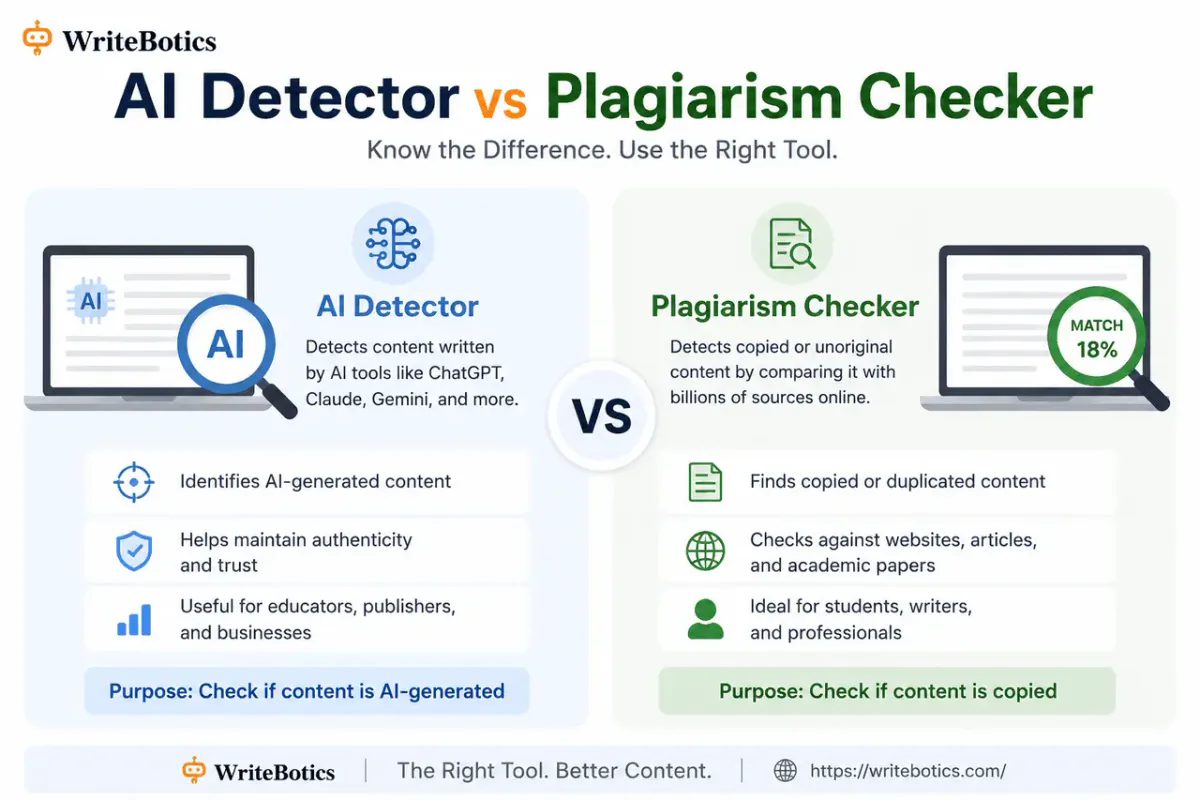
An AI content detector estimates whether a text was likely generated by an AI model, based on writing patterns. A plagiarism checker looks for text that matches or closely resembles content that already exists elsewhere online. One is about origin (machine vs. human), the other is about originality (new vs. copied).
- Human-written and plagiarized (copied from another source)
- AI-generated and completely unique (not copied from anywhere, but not human-written either)
- Human-written and completely original
- AI-generated and plagiarized (an AI model reproducing existing text closely)
Each of these four cases needs a different kind of check, and no single tool covers all of them.
How an AI Content Detector Actually Works
AI detectors don't "know" who wrote something. They can't access authorship records or verify a byline. Instead, they analyze statistical patterns in the text — things like sentence length variation, word predictability, repetition of common phrasing, and how uniform the structure is across paragraphs.
AI-generated text tends to have certain tendencies: smoother, more evenly paced sentences, less variation in structure, and word choices that are statistically "expected" given the previous words. Human writing tends to be messier — inconsistent sentence lengths, occasional tangents, quirks in phrasing that don't follow a predictable pattern.
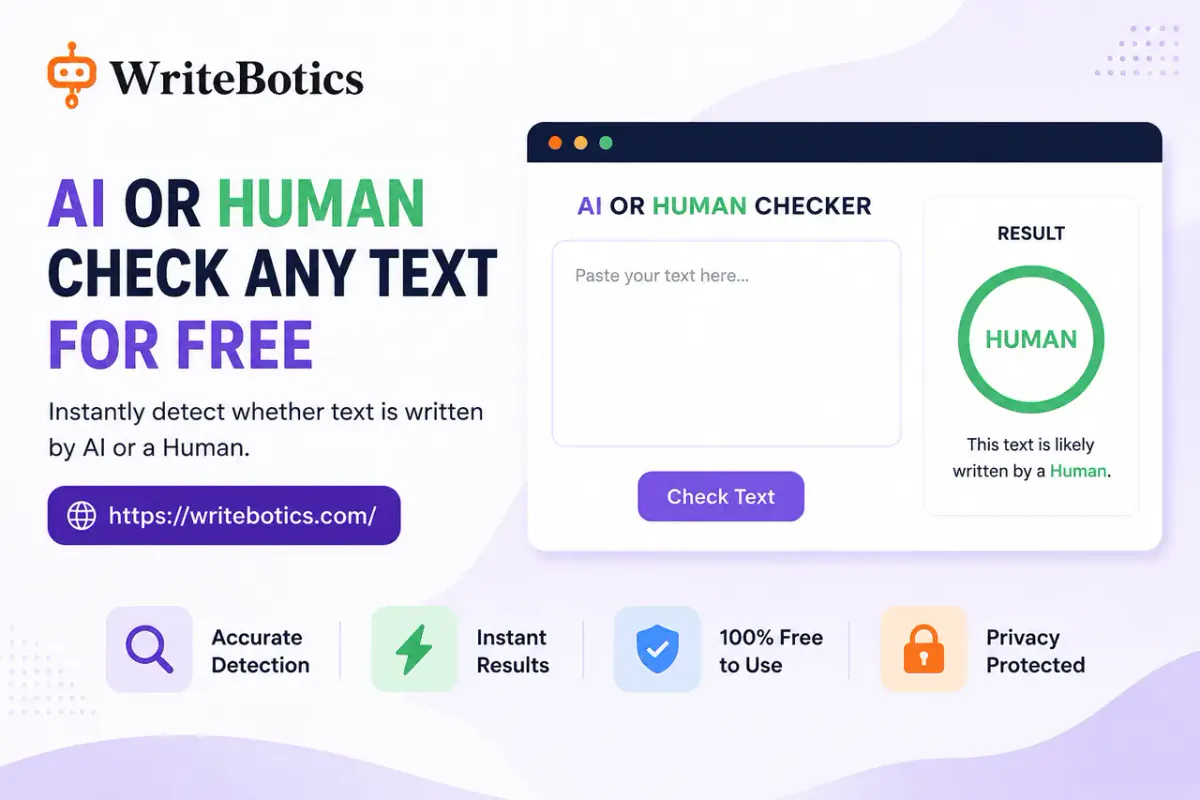
An AI detector like WriteBotics' AI Content Detector reviews these patterns and returns an estimate of how likely the text is to have AI-typical characteristics. It's important to be precise about the word "estimate" here — a detector cannot prove authorship. It can only say the writing shows patterns commonly associated with AI-generated text, or that it doesn't.
This is also why heavily edited AI text, or naturally simple/formulaic human writing (like a short instructional email), can sometimes produce results that don't match expectations either way.
How a Plagiarism Checker Actually Works
A plagiarism checker works completely differently. Instead of analyzing writing style, it compares your text against a large index of existing content — published articles, academic papers, web pages — looking for matching or near-matching phrases and sentences.
When you run text through a tool like WriteBotics' Plagiarism Checker, it highlights sections that closely resemble something already published, so you can review the matches and decide whether they need to be rewritten, quoted properly, or cited.
This has nothing to do with whether the text sounds "AI-like." A plagiarism checker doesn't care about sentence rhythm or predictability — it cares about whether the words themselves already exist somewhere else in a similar arrangement.
Side-by-Side Comparison
| AI Content Detector | Plagiarism Checker | |
|---|---|---|
| What it checks | Writing patterns typical of AI-generated text | Text matches against existing published content |
| What it can't do | Prove who wrote something | Detect AI-generated text that isn't copied from anywhere |
| Best used for | Estimating whether a draft reads as AI-typical | Checking for unintentional duplication or copied phrasing |
| Result type | A likelihood estimate | A list of matching or similar passages |
| Common blind spot | Simple, formulaic human writing can be flagged | Fully original AI-generated text can pass with zero matches |
Why You Might Need Both
Here's the scenario that trips people up most often: an AI content detector comes back clean, so the writer assumes the text is "fine" to submit or publish — without checking whether any part of it was copied from another source, intentionally or not. Or the opposite: a plagiarism checker shows zero matches, so the writer assumes the text is clearly human-written, when it may still be AI-generated but just phrased in a way that doesn't match any existing source word-for-word.
Running both checks covers different risks:
- The AI detector helps you gauge whether a draft reads naturally, or whether it has the flat, repetitive tone often associated with unedited AI output — useful if you're trying to make writing sound more like your own voice.
- The plagiarism checker helps you confirm that none of your content — human-written or AI-assisted — accidentally duplicates existing published material, which matters for both academic integrity and legal/SEO reasons.
Together, they answer two separate questions: "Does this sound AI-written?" and "Does this already exist somewhere else?" Neither tool answers the other's question.
A Simple Workflow for Checking a Draft
If you want to review a piece of writing thoroughly before publishing or submitting it, a reasonable order looks like this:
1. Check for plagiarism first. Run the draft through the Plagiarism Checker and review any flagged passages. Rewrite or properly cite anything that matches existing sources too closely.
2. Check AI-writing patterns second. Run the (now plagiarism-clean) draft through the AI Content Detector to see whether it reads as AI-typical.
3. If needed, revise for natural tone. If the draft reads stiff or repetitive, a tool like an AI Humanizer can help smooth out sentence structure while keeping the meaning intact.
4. Do a final human read-through. Neither tool replaces your own judgment. Read the final version yourself and confirm it says what you actually mean, in a tone that fits your audience.
What These Tools Can't Tell You
It's worth being upfront about the limits here, because a lot of confusion comes from treating either tool as a definitive verdict:
- Neither tool can prove authorship. An AI detector gives a pattern-based estimate, not a fact. A plagiarism checker shows textual similarity, not intent.
- Detector results can vary between tools. Different AI detectors use different models and thresholds, so it's normal to get a different percentage or verdict from two separate services on the same text.
- A "clean" result isn't a guarantee. Passing both checks doesn't mean a piece of writing is automatically appropriate to submit somewhere — institutional and publishing policies on AI use still apply regardless of what a detector says.
Use both tools as one input into your review process, not as the final word.
Frequently Asked Questions
Is an AI detector the same thing as a plagiarism checker?
No. An AI detector estimates whether text shows patterns typical of AI-generated writing. A plagiarism checker compares text against existing published content to find matches. They check for entirely different things.
Can text be flagged by an AI detector but pass a plagiarism check?
Yes, and this is actually common. AI-generated text can be completely unique (no matches to existing sources) while still showing writing patterns typical of AI output.
Can text pass an AI detector but still be plagiarized?
Yes. A human-written passage that closely copies another source can read as completely natural (and pass an AI detector) while still showing up as a strong match in a plagiarism checker.
Which tool should I use for academic work?
Most academic integrity concerns involve both questions — originality and authorship. It's worth checking a draft with the Plagiarism Checker and the AI Content Detector, and then following your institution's specific policy on AI assistance and citation.
Can an AI detector prove that I didn't use AI to write something?
No. Detectors provide an estimate based on patterns, not proof of authorship in either direction. Treat the result as one signal, not a verdict.
Are these tools free to use?
Yes — WriteBotics offers both the AI Content Detector and the Plagiarism Checker as free, browser-based tools with no signup required. Usage limits may apply depending on the tool.
Check Your Draft With Both Tools
If you're not sure whether a piece of writing needs an originality check, an AI-pattern check, or both, the safest approach is simply to run it through each. Start with the Plagiarism Checker to catch any matching content, then use the AI Content Detector to review writing patterns — both are free and open directly at writebotics, no account needed.
For more on reviewing and improving a draft before you publish it, see AI Writing Assistant: Write Faster and Smarter Today and Best Writing Tools Online to Boost Your Creativity.