AI Writing for SEO Blogs: How to Edit Helpful Content
AI can get a blog post from blank page to full draft in minutes. But a fast draft and a genuinely useful article aren't the same thing. If you're using AI writing for SEO, the editing pass is where a generic draft turns into content that actually helps the reader — which is what search engines are built to reward in the first place.
This guide walks through a practical editing process for AI-assisted SEO blogs, so you can move quickly without publishing something thin, repetitive, or disconnected from what your reader actually searched for.
Why the Edit Matters More Than the Draft
A first AI draft is a starting point, not a finished piece. It's often built to sound complete rather than to be complete — smooth sentences, correct grammar, and a tidy structure, but sometimes light on specifics, examples, or a clear point of view.
Editing is where you add the things a template can't generate on its own:
- Direct answers to the actual question in the search intent
- Specific examples, numbers, or scenarios from your own knowledge of the topic
- A structure that matches how someone would actually read and use the page
- Consistent terminology and a voice that matches the rest of your site
Treat the AI draft as raw material. Your editing pass is what makes it helpful.
Step 1: Re-Check the Search Intent
Before touching a sentence, reread the target keyword and ask what the person searching actually wants. Are they comparing options, looking for a step-by-step process, or trying to understand a concept? A tool like Keyword Research can help you organize keyword ideas by topic and intent before you even start drafting, so the outline is built around the right angle from the start.
Then compare that intent against the draft:
- Does the introduction answer the core question early, or does it stall with generic background?
- Are the headings organized the way a reader would actually look for information?
- Is there anything the reader needs that the draft skipped entirely?
If the draft wanders before getting to the point, restructure it now. This is easier to fix before you start line-editing.
Step 2: Cut Repetition and Filler
AI drafts often restate the same idea in slightly different words across several paragraphs. During editing, look for:
- Sentences that repeat a point already made in the intro
- Transitional phrases that add length without adding meaning
- Paragraphs that could be combined into one tighter paragraph
A useful test: read each paragraph and ask "does removing this change what the reader learns?" If the answer is no, cut it.
Step 3: Add What Only You Know
This is the step that separates a generic AI draft from genuinely useful content. Go through the article and look for places to add:
- A specific example from real use, not a hypothetical one
- A number, result, or detail that's specific rather than vague
- A caveat or edge case that a generic draft wouldn't think to mention
- Your own recommendation, when the topic calls for one
You don't need to rewrite the whole piece — a few well-placed additions per section is usually enough to make the content feel grounded rather than templated.
Step 4: Tighten the Language
Once the structure and substance are solid, work through the draft line by line for clarity:
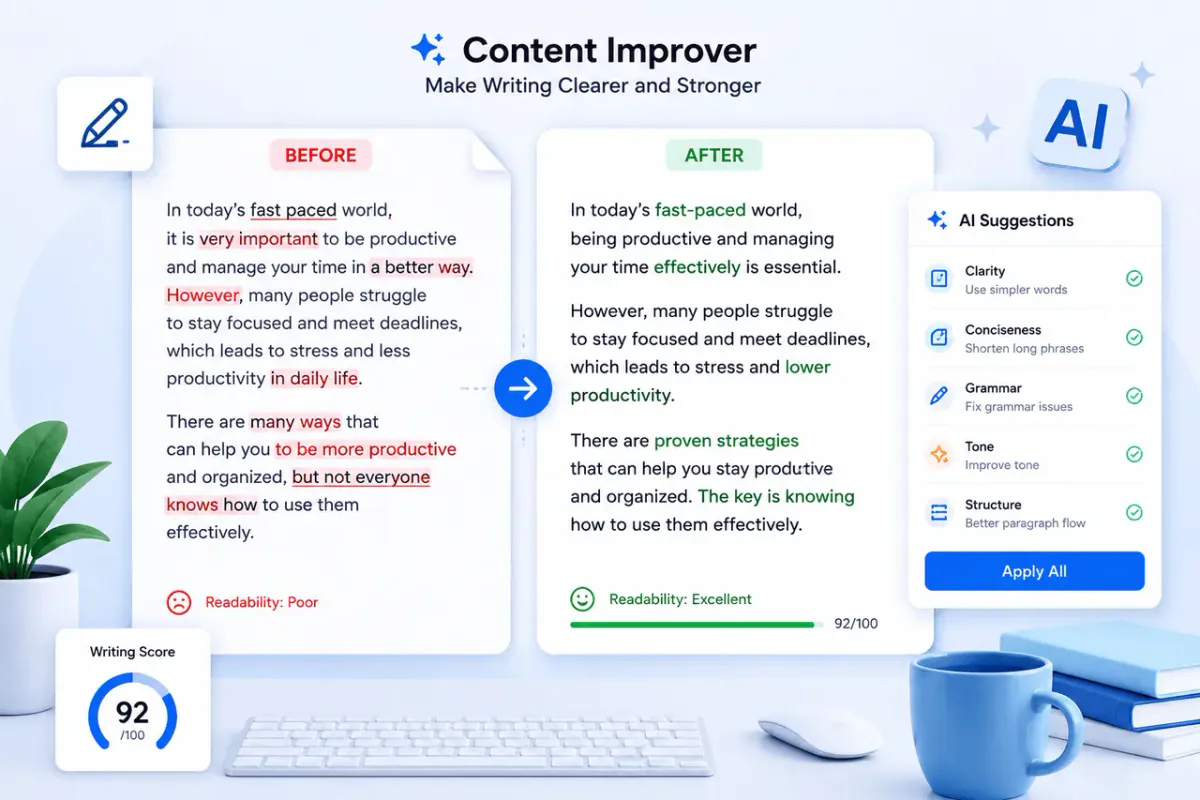
- Replace vague phrases ("a variety of options," "in today's world") with specific ones
- Break up long sentences that bury the main point
- Make sure each paragraph opens with its main idea, not a warm-up sentence
A Content Rewriter is useful at this stage if a section still reads stiff after your first pass — it can help produce a clearer alternative version of a paragraph you can then adjust further. Review the output for accuracy and tone before keeping it, the same way you'd review any draft.
Step 5: Run a Grammar and Consistency Pass
Once the content itself is solid, do a final pass for mechanics: spelling, punctuation, subject-verb agreement, and consistent formatting (heading capitalization, list style, terminology). A Grammar Checker is a fast way to catch what a quick read-through might miss, especially in a longer post. Treat its suggestions as a checklist to review, not as automatic edits — you know the intended meaning better than any tool does.
Step 6: Read It as Your Reader Would
Before publishing, read the finished piece from the top with fresh eyes, ideally after stepping away from it for a bit. Ask:
- Does this answer the question that brought the reader here?
- Is there a clear next step or takeaway by the end?
- Would this hold up if a subject-matter expert read it?
If a section still feels generic on this final read, that's the section to go back and strengthen with a specific detail, example, or opinion.
A Simple Editing Checklist
Keep this nearby when you're editing an AI-assisted draft:
- Confirm the structure matches the search intent
- Cut repeated points and filler transitions
- Add specific examples, numbers, or details the AI couldn't know
- Tighten sentences and clarify vague phrases
- Run a grammar and consistency check
- Do one final read as the actual reader
Working through this list consistently is what turns a fast AI draft into an SEO blog post that's actually worth a reader's time — which is the real goal behind "helpful content."
FAQs
Does using AI to write the first draft mean I have to rewrite the whole thing by hand?
No. Most of the value comes from a focused editing pass — checking structure, adding specific details, and tightening language — rather than starting over from scratch.
How much of the draft should I change?
There's no fixed percentage. Focus on making sure the content directly answers the search intent, includes specific details a generic draft wouldn't have, and reads clearly. Some sections may need heavy editing; others may need very little.
What's the difference between editing for SEO and editing for readability?
They usually overlap. Content that's clearly structured, specific, and easy to follow tends to match search intent better too. Start with the reader's experience, and the SEO structure — headings, clear intros, direct answers — tends to follow naturally.
Can AI writing tools help with editing, not just drafting?
Yes. Tools that check grammar, rewrite stiff passages, or summarize long sections can speed up specific parts of the edit. Review any AI-assisted suggestion for accuracy and tone before keeping it, the same as you would with a human editor's suggestions.
Should I use the same editing process for every blog post?
The core steps — checking intent, cutting filler, adding specifics, tightening language, and a final read — apply broadly. How much time each step takes will vary by topic and how familiar you are with the subject. Explore more writing guides on the WriteBotics blog, including AI Writing Assistant: Write Faster and Smarter Today and Best Writing Tools Online to Boost Your Creativity.