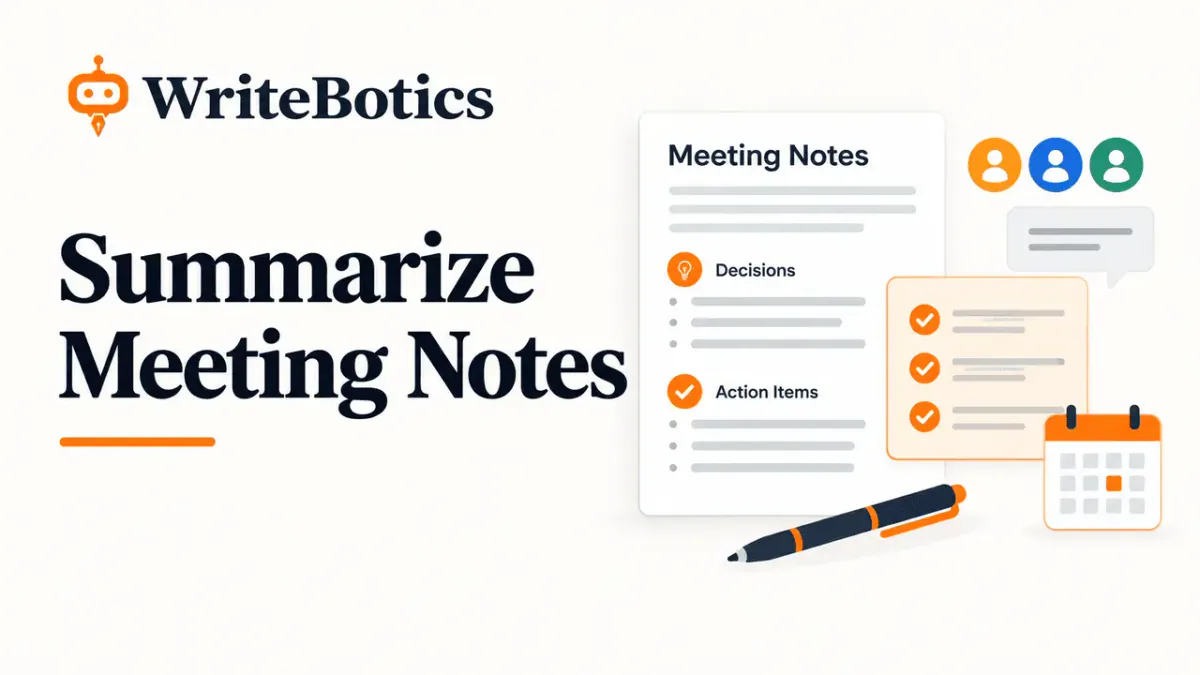
A useful meeting summary does more than explain what people discussed. It tells everyone what was decided, what needs to happen next, who is responsible, and when the work is due. To summarize meeting notes effectively, remove unnecessary discussion, group related points, separate decisions from action items and open questions, and record clear owners and deadlines.
Whether you are documenting a team meeting, client call, project update, or planning session, the goal is the same: turn a conversation into a practical record that people can understand and act on.
This guide explains how to prepare your notes, organize the important information, transform a rough transcript into a clear summary, and reuse a simple meeting notes template.
1. Prepare Your Meeting Notes Before Summarizing
Before writing a summary, make sure you have enough context to understand what happened. Poorly organized notes can hide important decisions or make tentative suggestions sound like final agreements.
Identify the meeting's purpose
Start by answering three questions:
- Why did the meeting take place?
- What topics were discussed?
- What outcome was the group trying to achieve?
For example, a weekly project meeting may focus on delivery progress, blockers, and upcoming deadlines. A client meeting may focus on requirements, feedback, and approval. Understanding the purpose helps you decide which details belong in the summary.
Gather and clean up your source material
Your source might be handwritten notes, a shared document, a meeting transcript, or a collection of bullet points.
Before summarizing:
- Remove duplicated notes and repeated statements.
- Correct obvious spelling errors without changing the meaning.
- Group related comments under the same topic.
- Keep relevant names, dates, figures, and project details.
- Flag unclear statements instead of guessing what they mean.
Do not remove context simply because it makes the notes longer. A condition, disagreement, or unresolved concern may be essential to understanding a decision.
If you are working with a long transcript, you can use the WriteBotics Text Summarizer to create a shorter starting point. Review the output against the original before treating it as an accurate meeting record.
Capture the basic meeting details
Include the meeting title, date, participants, and purpose when these details are relevant. These identifiers help readers understand which discussion the summary refers to, especially when a project has recurring meetings.
You do not need to reproduce the entire conversation. Keep the information that explains the outcome and supports the next steps.
2. Separate Decisions, Action Items, and Open Questions
One of the most important steps in summarizing meeting notes is distinguishing between what the team agreed to do, what someone must do next, and what still needs an answer.
These categories serve different purposes. Combining them can create confusion about whether a proposal was approved or whether someone has actually accepted responsibility.
Decisions: What was agreed?
A decision is an outcome the relevant participants agreed upon or an authorized person confirmed.
Examples include:
- The team will launch the revised onboarding process in November.
- The project will use the existing customer support platform.
- The first release will include three core features.
Record the decision directly. Include conditions or limitations that affect how it should be understood.
If someone merely suggested an idea, do not describe it as an approved decision. Use wording such as “Proposed,” “Under consideration,” or “Pending approval.”
Action items: What needs to happen?
An action item is a specific task that moves the work forward.
A useful action item identifies:
- Task: What needs to be completed?
- Owner: Who is responsible?
- Deadline: When is it due?
- Status or dependency: What is needed before it can be completed?
For example, “Prepare the launch announcement” is more useful when written as “Maya will draft the launch announcement by October 8.”
Avoid vague phrases such as “follow up,” “look into this,” or “handle marketing” unless the notes explain exactly what those phrases mean.
Open questions: What remains unresolved?
Open questions are issues that the meeting did not settle.
Examples include:
- Which pricing option will the client approve?
- Does the revised timeline require additional resources?
- Who will provide the final legal review?
Where possible, record who will find the answer and when the group expects to revisit it. If no owner or deadline was agreed upon, mark it as unassigned or not yet scheduled.
Use a simple classification table
| Category | What it means | Example |
|---|---|---|
| Decision | An agreed outcome | Launch date set for November 12 |
| Action | Work someone must complete | Maya drafts the announcement |
| Open question | Something still unresolved | Is the support team ready? |
| Discussion | Relevant context | The team reviewed launch risks |
Discussion points should remain in the summary only when they explain a decision, an action, or an important concern.
3. Assign Clear Owners and Deadlines
A summary becomes useful when readers can see who is doing what and when the work is expected.
Give each action one accountable owner
A task may involve several people, but identify one person who is responsible for coordinating its completion. List collaborators separately when necessary.
For example:
Unclear: The product team will review the new onboarding flow.
Clearer: Jordan will coordinate the onboarding review with the product team and share the team's feedback by October 10.
The second version identifies a responsible person, a defined outcome, and a deadline.
Do not assign ownership based on assumptions. If the meeting did not establish who owns a task, write “Owner: TBD” and flag it for confirmation.
Use specific, unambiguous dates
Whenever possible, use a calendar date rather than “next Friday,” “in two weeks,” or “by the end of the month.”
Relative dates can become confusing when someone reads the summary later or works in another time zone.
If the deadline is approximate, label it accordingly. For example, “Target date: October 15, subject to client approval” preserves the uncertainty.
Make dependencies visible
Some actions cannot begin until another task is complete.
For example:
- Priya will finalize the design after receiving the approved copy.
- Daniel will schedule the campaign once the landing page is reviewed.
Recording these dependencies helps people understand why a task may not be ready to start.
Before sharing the summary, check that every confirmed action has a clear task and that missing owners or dates are explicitly flagged.
4. Transform Rough Notes Into a Clear Summary
Consider this fictional example from a website redesign meeting.
Before: Rough meeting notes
Homepage redesign — talked about moving the launch because mobile layout still needs work. Sam said design updates should be ready early next week. Priya to check mobile version? Need final copy from marketing. Launch maybe Oct 20 but depends on review. Alex mentioned analytics tracking isn't confirmed. Team agreed homepage should go live only after mobile QA. Marketing copy timing still unclear. Sam to send updated mockup Monday. Check analytics with Alex.
These notes contain useful information, but they mix decisions, tasks, uncertainty, and discussion.
After: Organized meeting summary
Meeting: Website Redesign Check-in Date: October 2 Purpose: Review launch readiness and outstanding work
Decisions
- The homepage will go live only after mobile quality assurance is complete.
- October 20 remains a tentative launch date, subject to review and readiness.
Action items
| Task | Owner | Deadline |
|---|---|---|
| Send the updated homepage mockup | Sam | Monday, October 5 |
| Confirm analytics tracking requirements | Alex | Not agreed |
| Confirm the mobile QA reviewer | TBD | Not agreed |
| Provide final homepage copy | Marketing team | Not agreed |
Open questions
- Can the team complete all launch checks before October 20?
- When will marketing deliver the final copy?
- Who will conduct the mobile QA review?
Key dependency: The launch depends on completing mobile QA and the remaining readiness checks.
Why this summary works
The revised version preserves the meeting's important information without repeating the conversation.
It also avoids turning a tentative launch date into a firm commitment. The mobile QA requirement is recorded as a decision, while the analytics owner and deadline remain unconfirmed.
Notice that the example does not invent a deadline for Alex or assume that Priya accepted the QA task. Those details need confirmation before the summary is finalized.
5. Use a Reusable Meeting Notes Summary Template
A consistent format makes meeting summaries easier to scan, share, and compare across recurring meetings.
Copy the template below and adapt it to your team's needs.
Meeting Summary Template
Meeting title: [Project or meeting name] Date and time: [Date, time, and time zone if relevant] Participants: [Names or relevant teams] Meeting purpose: [What the meeting needed to accomplish]
Key Takeaways
- [Most important point]
- [Important context or risk]
- [Relevant update]
Decisions
- [Decision and any conditions]
- [Decision and any conditions]
Action Items
| Task | Owner | Due date | Status |
|---|---|---|---|
| [Specific task] | [Name or TBD] | [Date or TBD] | [Status] |
| [Specific task] | [Name or TBD] | [Date or TBD] | [Status] |
Open Questions
- [Unresolved question] — Owner: [Name or TBD]
- [Unresolved question] — Review date: [Date or TBD]
Risks and Dependencies
- [Risk, blocker, or prerequisite]
Next Check-in
[Date, time, or scheduling status]
For a short meeting, you may only need the decisions, action items, and open questions. For a complex project meeting, retaining the additional context can help prevent misunderstandings.
6. Review the Summary Before Sharing It
A quick review helps catch errors that could cause unnecessary work or confusion.
Use this checklist before distributing your notes:
- The summary reflects the meeting's actual purpose and outcomes.
- Decisions are separated from proposals and unresolved issues.
- Every action describes a specific, understandable task.
- Owners and deadlines match what participants agreed.
- Missing details are marked for confirmation.
- Important conditions, risks, and dependencies are preserved.
- Names, dates, figures, and commitments are accurate.
- The summary is concise and easy to scan.
- The intended recipients can access the document.
Send the summary to the relevant participants while the discussion is still fresh. If an important point is disputed or unclear, ask for clarification rather than silently choosing an interpretation.
7. Use AI to Summarize Meeting Notes Carefully
AI summarization can help organize lengthy notes, identify recurring topics, and produce a first draft. However, a generated summary should not automatically become the official record.
For better results, give the tool a clear instruction, such as:
“Summarize these meeting notes under four headings: decisions, action items, open questions, and risks. Include owners and deadlines only when explicitly stated. Mark missing information as TBD. Preserve uncertainty and do not invent facts.”
You can also review the AI summary generator guide for general advice on condensing longer text.
After generating a draft, compare it with the original notes. Check that the tool has not confused a suggestion with a decision, assigned a task to the wrong person, changed a date, or removed an important qualification.
If you need to improve the wording of a draft, the WriteBotics Content Rewriter may help you refine its clarity. Keep the underlying facts and commitments unchanged.
Protect confidential meeting information
Meeting notes can contain customer details, financial information, employee matters, internal plans, or other sensitive material.
Do not paste confidential meeting data into online tools without permission. Before using any external service, follow your organization's data-handling rules, check whether the tool is approved for that information, and review its privacy policy.
When appropriate, remove names, customer identifiers, credentials, and other sensitive details before processing notes. Anonymization can reduce exposure, but it does not automatically make every document safe to share.
Frequently Asked Questions
How long should a meeting summary be?
Make it as short as possible while preserving the decisions, actions, deadlines, and context people need. A brief meeting may need only a few bullet points, while a complex planning session may require a longer record.
What is the difference between meeting minutes and a meeting summary?
Meeting minutes typically provide a more formal record of proceedings, decisions, and other required details. A meeting summary is usually a shorter, practical overview focused on the main outcomes and next steps. The appropriate format depends on the meeting and your organization's requirements.
Should action items be included in meeting notes?
Yes, when the meeting produces work that needs to be completed. Include the task, responsible owner, and agreed deadline. Mark any missing information rather than guessing.
How do I summarize meeting notes when no decisions were made?
State the main topics discussed, explain that no final decision was reached, and list the outstanding questions. Include any agreed follow-up tasks and identify when the issue will be revisited, if that was established.
Can AI summarize meeting notes accurately?
AI can help create a draft, but accuracy depends on the source material and the review process. Check names, dates, decisions, ownership, and qualifications against the original notes before sharing the result.
Is it safe to use an online meeting notes summarizer?
That depends on the tool, its data practices, and your organization's policies. Do not submit confidential information without permission. Use an approved service and remove sensitive details when appropriate.
Turn Meeting Notes Into Clear Next Steps
A strong meeting summary gives everyone a shared understanding of what happened and what comes next. Start by preparing the source notes, separate decisions from actions and open questions, assign confirmed owners and dates, and preserve anything that remains uncertain.
For long notes or transcripts, try the WriteBotics Text Summarizer as a starting point. Review the result, confirm the facts, and use the template in this guide to turn the final summary into a clear record your team can act on.