If you've drafted an assignment with ChatGPT or another AI tool, there's a good chance your school is running it through Turnitin before it ever reaches a grader. Turnitin's AI-writing indicator has become a standard part of academic review, and a paper that reads like it came straight out of a chatbot can raise questions even when the ideas are entirely your own.
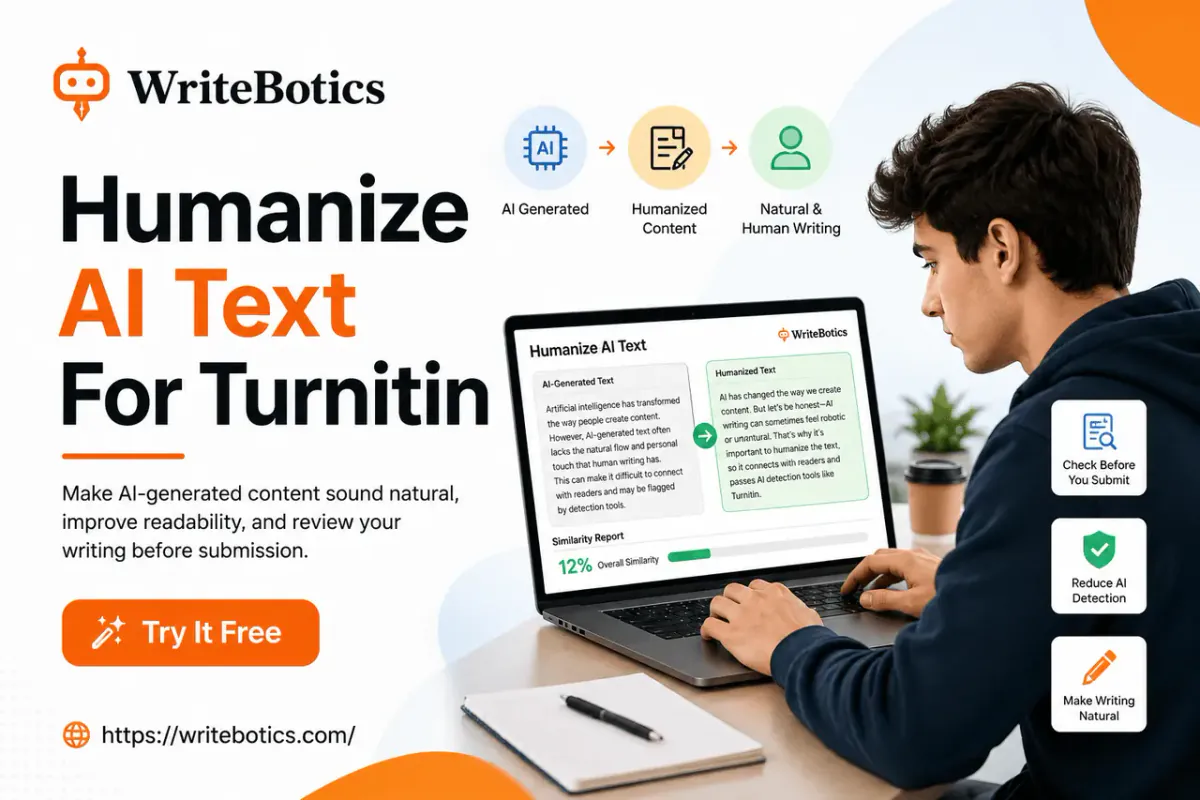
This guide walks through a free, practical method for humanizing AI text for Turnitin: understanding what actually triggers an AI-writing flag, rewriting your draft so it reads naturally, and reviewing the result before you submit anything. We'll also point you to free tools you can use at each step, including the AI Humanizer on WriteBotics.
One important note before we start: no method guarantees a "0% AI" score, and your institution's academic integrity policy always comes first. This article is about producing cleaner, more natural writing and reviewing your own work responsibly — not about deceiving an instructor.
Why Turnitin Flags AI Text in the First Place
Turnitin's AI-detection feature doesn't "know" you used AI. It estimates the likelihood that a passage was AI-generated by looking at statistical patterns common in machine-written text, such as:
- Low burstiness — AI models tend to produce sentences of similar length and rhythm, one after another, instead of the natural mix of short and long sentences humans write.
- Predictable word choice — Large language models often pick the statistically "safest" next word, which creates repetitive phrasing and generic transitions like "moreover," "in conclusion," or "it is important to note."
- Overly uniform structure — Every paragraph starts the same way, follows the same length, and wraps up with a tidy summary sentence.
- Lack of personal voice — No specific examples, no opinions, no small imperfections that real writers naturally include.
None of this proves a document is AI-written with certainty, and Turnitin itself has acknowledged its detector isn't perfect. But understanding these patterns is the key to fixing them — which is exactly what "humanizing" text means in practice.
Step 1: Understand What "Humanizing" Actually Means
Humanizing AI text isn't about tricking software with hidden characters or random synonym swaps (a technique that often makes writing worse and easier to flag, not harder). It means editing your draft so that it reads the way a person who understands the topic would actually write it:
- Varying sentence length and structure
- Replacing generic phrasing with specific, concrete language
- Adding your own reasoning, examples, or transitions
- Removing repetitive sentence openers and robotic connector words
- Making sure the tone sounds like you, not a generic assistant
Done well, this process also makes your writing better — clearer, more engaging, and more convincing to a human reader, which is the whole point of an assignment in the first place.
Step 2: Start With a Real Draft, Not Just a Prompt Output
If you generated your first draft with AI, don't submit it as-is. Treat it the way you'd treat notes from a study group: useful material to build from, not a finished paper.
Read through the whole draft first and ask:
- Does this actually answer the assignment prompt?
- Are there claims here I can't personally explain or defend?
- Where does this sound like nobody in particular wrote it?
Mark the sections that feel the most generic — these are usually the paragraphs that will trigger both an AI detector and a bored reader.
Step 3: Rewrite in Your Own Sentence Rhythm
This is the manual core of humanizing text, and it matters even if you also use a tool afterward. Break up uniform sentences. If three sentences in a row are all roughly the same length and structure, combine two of them or cut one down to a fragrelated clause.
Swap generic transitions for real ones. Instead of "Furthermore, it is important to note that climate change affects agriculture," try something closer to how you'd actually explain it out loud: "Climate change doesn't just raise temperatures — it's already reshaping which crops farmers can grow."
Add specificity. AI text often stays abstract. Swap "many studies show" for the actual study, swap "this has a significant impact" for what the impact actually is.
Cut the AI tells. Watch for repeated words and phrases like "delve into," "in today's world," "it's worth noting," "plays a crucial role," and paragraph-ending summary sentences that restate what you just said. These are some of the most common AI fingerprints in student writing.
Step 4: Use a Free AI Humanizer Tool as a Second Pass
Manual editing gets you most of the way, but running your revised draft through a dedicated tool can catch patterns you missed and speed up the process considerably. WriteBotics' AI Humanizer is built exactly for this. Paste your draft in, and it rewrites stiff, AI-flavored passages into more natural phrasing while keeping your original meaning intact. It's free, browser-based, and doesn't require an account to try — you just paste your text, choose a mode, and review the rewritten result.
A practical workflow:
- Write or generate your first draft.
- Manually revise it using Step 3 above.
- Paste the revised draft into the AI Humanizer for a second pass on any remaining stiff sections.
- Read the output aloud — if it doesn't sound like you, edit it again.
Never treat any humanizer as a "submit and forget" step. Always read the rewritten text carefully, since automated rewriting can occasionally shift meaning or introduce awkward phrasing that needs a manual fix.
Step 5: Check Your Draft Before You Submit
Once your draft reads naturally, it's worth running two more checks before you turn it in. Check for lingering AI patterns. WriteBotics' AI Content Detector estimates whether a passage still contains common AI-writing patterns, so you can spot sections that still need work before your instructor's software does. Remember that any AI detector — including Turnitin's — provides an estimate, not proof, so use the result as one signal rather than a final verdict.
Check originality. If your draft pulls language or structure from sources you researched, run it through the Plagiarism Checker to review matching phrases before you submit. Combining a humanized draft with an originality check gives you a much clearer picture of how your paper will actually look to an instructor.
Common Mistakes That Make AI Text Easier to Detect
A few habits tend to backfire when people try to humanize AI writing quickly:
- Simple synonym-swapping. Replacing individual words with a thesaurus (e.g., "utilize" → "employ") without changing sentence structure barely affects detection and often makes writing sound worse.
- Adding random typos on purpose. This doesn't fool pattern-based detectors and can look like a red flag on its own if it's inconsistent with the rest of your writing.
- Keeping the same paragraph structure throughout. If every section still opens with a topic sentence, three supporting points, and a summary line, the underlying rhythm is still AI-shaped even if the words changed.
- Skipping the read-through. The single most effective free method is still reading your paper out loud. If it sounds like a lecture instead of a person talking, it needs another pass.
- Ignoring your school's policy. Some institutions permit AI-assisted brainstorming but require original writing; others prohibit AI entirely. Humanizing text doesn't override your school's academic integrity rules — always check your syllabus or ask your instructor.
A Quick Free Workflow You Can Reuse
- Draft your content (AI-assisted or otherwise).
- Manually revise sentence rhythm, transitions, and specificity.
- Run it through the AI Humanizer for a natural-language pass.
- Screen it with the AI Content Detector to catch remaining patterns.
- Screen it with the Plagiarism Checker to review originality.
- Read it aloud one final time before submitting.
You can run this entire workflow for free from the WriteBotics homepage without creating an account, since all the tools open directly from focused, task-based workspaces.
If you want more background on getting better results from AI-assisted writing in general, these guides are a useful next read:
- AI Writing Assistant: Write Faster and Smarter Today
- Best Writing Tools Online to Boost Your Creativity
FAQs
Does Turnitin actually detect AI-generated text accurately?
Turnitin's AI-writing indicator estimates the likelihood that text was AI-generated based on writing patterns, but it isn't infallible and can produce false positives, especially on heavily edited or non-native-English writing. Treat any score as a signal to review, not a final verdict, and check with your institution on how the score is used.
Is it against academic integrity rules to humanize AI text?
It depends entirely on your school's policy. Some institutions allow AI as a brainstorming or editing aid but require the final submission to reflect your own original work and understanding; others prohibit AI assistance altogether. Always check your syllabus or ask your instructor before using AI tools on graded work.
Can a free AI humanizer guarantee a 0% AI score on Turnitin?
No tool can guarantee a specific score, since detection systems and their thresholds change over time. A humanizer can reduce common AI-writing patterns and make your draft read more naturally, but the more reliable long-term approach is writing (or substantially rewriting) the content yourself.
What's the difference between humanizing text and paraphrasing it?
Paraphrasing mainly changes wording while keeping the same structure and rhythm. Humanizing goes further — it also varies sentence length, adds specific detail, and adjusts tone so the writing reflects a genuine personal voice, which is what actually reduces AI-pattern detection.
How do I know if my humanized text still sounds like AI?
Read it aloud. If every sentence is a similar length, every paragraph follows the same shape, and nothing sounds like something you'd actually say, it likely still carries AI patterns. Running it through a tool like the AI Content Detector can help confirm this before you submit.
Are these WriteBotics tools free to use?
Yes — WriteBotics provides free, browser-based writing tools including the AI Humanizer, AI Content Detector, and Plagiarism Checker. Availability and usage limits can vary by tool, so check each tool page for current details.