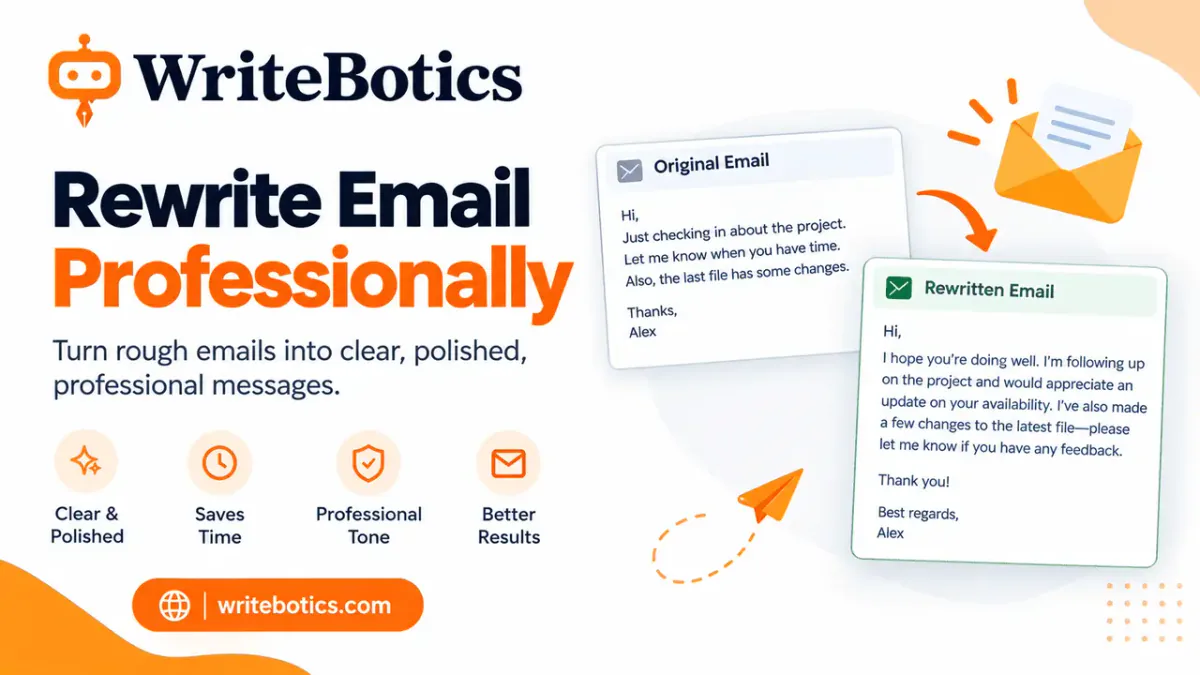
If you need to rewrite an email professionally, focus on six things: a clear subject line, a direct opening, a concise request, a respectful tone, specific deadline wording, and an easy-to-follow next step. You do not need complicated language. In most workplace emails, professional writing is simply clear, courteous, and purposeful.
A useful professional email usually answers three questions quickly: Why are you writing? What do you need from the reader? When do you need it?
This guide shows you how to rewrite an email professionally, with 12 original before-and-after examples covering common workplace situations.
Start With a Clear Subject Line
Your subject line should help the recipient understand the purpose of the email before opening it. Avoid vague subjects such as “Question,” “Update,” or “Important.”
Instead, make the topic and, when useful, the requested action obvious.
| Weak subject line | More professional subject line |
|---|---|
| Question | Question About the Q4 Project Timeline |
| Meeting | Request to Reschedule Thursday's Meeting |
| Need this ASAP | Approval Needed: Client Proposal by Friday |
| Update | Project Update: Website Launch Timeline |
| Follow-up | Follow-Up on the Marketing Proposal |
A good subject line does not need to sound formal. It needs to be specific.
For example:
Less effective:
Hi, I wanted to ask about the report.
Better:
Request for Feedback on the Q3 Sales Report
If your email requires action, consider putting that action in the subject line:
Approval Needed: Final Presentation by Tuesday
This helps the recipient understand what you need before they read the full message.
Write a Clear Opening
The first sentence should establish the reason for your email. Avoid spending several lines on unnecessary background before reaching the point.
Instead of:
Hi Sarah, I hope you're doing well. I just wanted to reach out because we have been working on the project for a while now and there are a few things I wanted to discuss with you when you have some time.
Try:
Hi Sarah, I'm writing to request your feedback on the project proposal.
The second version tells the reader immediately why you are contacting them.
A useful opening formula is:
Greeting + purpose + relevant context
For example:
Hi James, I'm writing to confirm the revised deadline for the website launch. The development team has completed the requested changes, and we are ready for final review.
You can also use a direct opening when the situation is urgent:
Hi Maria, I'm following up on the contract approval needed for Friday's client meeting.
Make the Request Concise
One of the easiest ways to make an email more professional is to make the request unmistakably clear.
Avoid vague phrases such as:
Let me know what you think.
If you need approval, say so:
Please review the attached proposal and confirm whether you approve the revised budget.
If you need information:
Could you send me the updated sales figures for August?
If you need a document:
Please send the signed agreement when you have a chance.
If there are several actions, use a short list rather than hiding them inside a long paragraph.
For example:
Could you please:
- Review the attached proposal.
- Confirm the project timeline.
- Send any requested changes by Thursday.
The recipient should not have to guess what you want them to do.
Use a Polite, Professional Tone
Professional does not mean cold or overly formal. You can be friendly while still being direct.
Compare:
Send me the revised file today.
with:
Could you please send me the revised file today?
The second version makes the same request while sounding more courteous.
However, avoid filling every sentence with excessive apologies or formal expressions.
Instead of:
I sincerely apologize for bothering you, but if it isn't too much trouble, would it perhaps be possible for you to send the document when you have a moment?
Use:
Could you please send the document when you have a chance?
Professional tone usually comes from clarity, respect, and appropriate confidence, not from using complicated vocabulary.
Use Specific Deadline Wording
When timing matters, avoid ambiguous phrases such as “ASAP” or “soon.”
Instead, provide a specific date or time.
Vague:
Can you send this ASAP?
Clear:
Could you send the revised document by 3 p.m. Thursday?
If the deadline is flexible, say so:
If possible, could you send the draft by Friday afternoon?
If the deadline is important because of another event, explain the reason briefly:
Could you confirm the final attendee list by Wednesday? We need to provide the numbers to the venue on Thursday.
This gives the recipient useful context without adding unnecessary detail.
How to Rewrite an Email Professionally: 12 Before-and-After Examples
The best way to understand professional email rewriting is to see how small changes improve clarity and tone.
1. Asking for a project update
Before:
Hi Tom, just checking if there's any update on the website project. We need to know what's happening because the deadline is coming up. Please let me know.
After:
Hi Tom,
I'm following up on the website project. Could you please share an update on the current timeline and let me know whether we are still on track for the planned launch date?
Thanks, Alex
Why it works: The revised version states the purpose, specifies the information needed, and avoids sounding impatient.
2. Requesting feedback
Before:
Hi Lisa, I sent the presentation earlier. Can you look at it and tell me what you think? I need to make changes.
After:
Hi Lisa,
Could you please review the attached presentation and share your feedback? In particular, I'd appreciate your comments on the final three slides before I make the revisions.
Thank you, Jordan
Why it works: The request tells the recipient exactly what to review.
3. Asking for a document
Before:
Hey Mark, I need that report you mentioned. Can you send it over?
After:
Hi Mark,
Could you please send me the latest version of the report you mentioned during today's meeting? I'd like to review it before tomorrow's planning session.
Thanks, Priya
Why it works: The rewrite adds context and explains why the document is needed.
4. Requesting approval
Before:
Can you approve this? We need to get it done quickly.
After:
Hi Daniel,
Please review and approve the attached campaign proposal. If everything looks good, could you confirm approval by Tuesday so the team can proceed with the next steps?
Best, Chris
Why it works: The action and deadline are explicit without sounding demanding.
5. Rescheduling a meeting
Before:
I can't make the meeting tomorrow. Can we do another time?
After:
Hi Emily,
Unfortunately, I won't be available for tomorrow's meeting. Would Thursday at 2 p.m. or Friday at 10 a.m. work for you instead?
Apologies for the change, and thank you for your flexibility.
Best, Sam
Why it works: Offering alternatives makes it easier for the recipient to respond.
6. Following up after no response
Before:
Hi, just following up again because I haven't heard back. Please let me know.
After:
Hi Rachel,
I wanted to follow up on my email below regarding the client questionnaire. When you have a chance, could you please confirm whether you've had an opportunity to review it?
Thank you, Taylor
Why it works: It follows up without accusing the recipient of ignoring the earlier email.
7. Addressing a missed deadline
Before:
You were supposed to send this yesterday. I still don't have it. What's going on?
After:
Hi Michael,
I wanted to check on the status of the report, which was due yesterday. Could you let me know when I can expect the revised version?
If there are any issues affecting the timeline, please let me know so we can adjust the next steps accordingly.
Best, Nina
Why it works: The revised message identifies the missed deadline while leaving room for the recipient to explain the situation.
8. Declining a request
Before:
Sorry, I can't do this right now. I'm too busy.
After:
Hi David,
Thanks for reaching out. I won't be able to take this on this week because of existing project deadlines. If the timing is flexible, I'd be happy to discuss it for next week.
Best, Morgan
Why it works: It gives a clear reason and, where appropriate, offers an alternative.
9. Asking a colleague for help
Before:
Can you help me with this spreadsheet? I don't understand some of it.
After:
Hi Olivia,
Could you help me review the budget spreadsheet? I'm unsure about a few of the formulas in the forecast section and would appreciate your guidance when you have a moment.
Thanks, Ethan
Why it works: The recipient knows exactly where help is needed.
10. Correcting a mistake
Before:
I made a mistake in the file I sent you. Please ignore it.
After:
Hi Laura,
I noticed an error in the version of the report I sent earlier. Please disregard that file. I've attached the corrected version for your review.
Apologies for the confusion, and thank you for your understanding.
Best, Ryan
Why it works: It clearly identifies which version should be ignored and provides the replacement.
11. Sending a reminder
Before:
Reminder: I still need your numbers. Please send them.
After:
Hi Kevin,
Just a quick reminder that I need the updated sales figures for the monthly report. Could you please send them by Thursday afternoon?
Thanks for your help, Lauren
Why it works: The message is brief but still states the requested information and deadline.
12. Closing a conversation
Before:
Okay, thanks. Let me know if anything changes.
After:
Thanks for confirming. I'll proceed with the revised timeline and will let you know if anything changes on my end.
Best, Jordan
Why it works: The closing confirms what will happen next instead of ending vaguely.
A Simple Professional Email Checklist
Before sending an email, run through this checklist:
- Does the subject line clearly describe the purpose?
- Is the reason for the email clear in the opening?
- Is the requested action easy to identify?
- Have I removed unnecessary background?
- Is the tone respectful and appropriate?
- Have I replaced vague deadlines with specific dates or times?
- Did I include relevant context without overexplaining?
- Are names, dates, attachments, and other details correct?
- Did I avoid unnecessary apologies or overly casual language?
- Is the next step clear?
- Have I checked grammar, spelling, and punctuation?
- Would the recipient understand what I need after one quick read?
If the wording still feels awkward after your first edit, you can use the WriteBotics Content Rewriter to explore a clearer version. For a final language check, the WriteBotics Grammar Checker can help you review the draft.
You may also find this guide useful: How to Change Casual Writing to Professional Writing.
FAQs About Rewriting Emails Professionally
How do I rewrite an email professionally?
Start by identifying the purpose of the email and the action you want from the recipient. Then use a specific subject line, a direct opening, concise wording, a respectful tone, and a clear deadline when one is needed. Remove unnecessary filler and check the final message before sending it.
How can I make a casual email sound more professional?
Replace slang and overly casual expressions with clear, neutral language. You do not need to make the email extremely formal. Focus on being specific about your purpose, request, timing, and next step.
What should I avoid in a professional email?
Avoid vague subject lines, long introductions, unclear requests, unnecessary apologies, unexplained abbreviations, excessive exclamation marks, and ambiguous deadlines. Also check that attachments and dates are correct before sending.
Is it professional to say “ASAP” in an email?
“ASAP” can be unclear because different people may interpret the urgency differently. When timing matters, a specific date or time is usually more useful, such as “by 3 p.m. Thursday.”
How do I professionally follow up on an email?
Keep the follow-up brief and polite. Mention the subject of the original message, explain what you need, and include a deadline if appropriate. Avoid wording that sounds accusatory, such as implying that the recipient deliberately ignored your earlier email.
How do I politely ask for something in an email?
State the request directly and use courteous wording such as “Could you please…” or “Would you be able to…?” Add enough context for the recipient to understand why the request is needed.
Should a professional email be formal?
Not necessarily. The appropriate tone depends on your relationship with the recipient, workplace culture, and purpose of the message. A professional email can be warm and conversational while remaining clear and respectful.
Can a rewriting tool help improve a professional email?
A rewriting tool can help you explore clearer wording, improve flow, or adjust an awkward draft. However, review the rewritten version yourself to make sure it preserves the facts, intended meaning, tone, and specific details of your original email.
Final Takeaway
To rewrite an email professionally, do not focus on making every sentence sound more formal. Focus on making the message clearer, more concise, more respectful, and easier to act on.
Use a specific subject line. Explain your purpose early. Make the request obvious. Give exact deadlines when timing matters. Keep the tone courteous without over-apologizing. Finally, review the message for grammar, accuracy, and clarity before you send it.
When you apply those principles consistently, even a rough or overly casual email can become a polished workplace message without losing your original meaning.