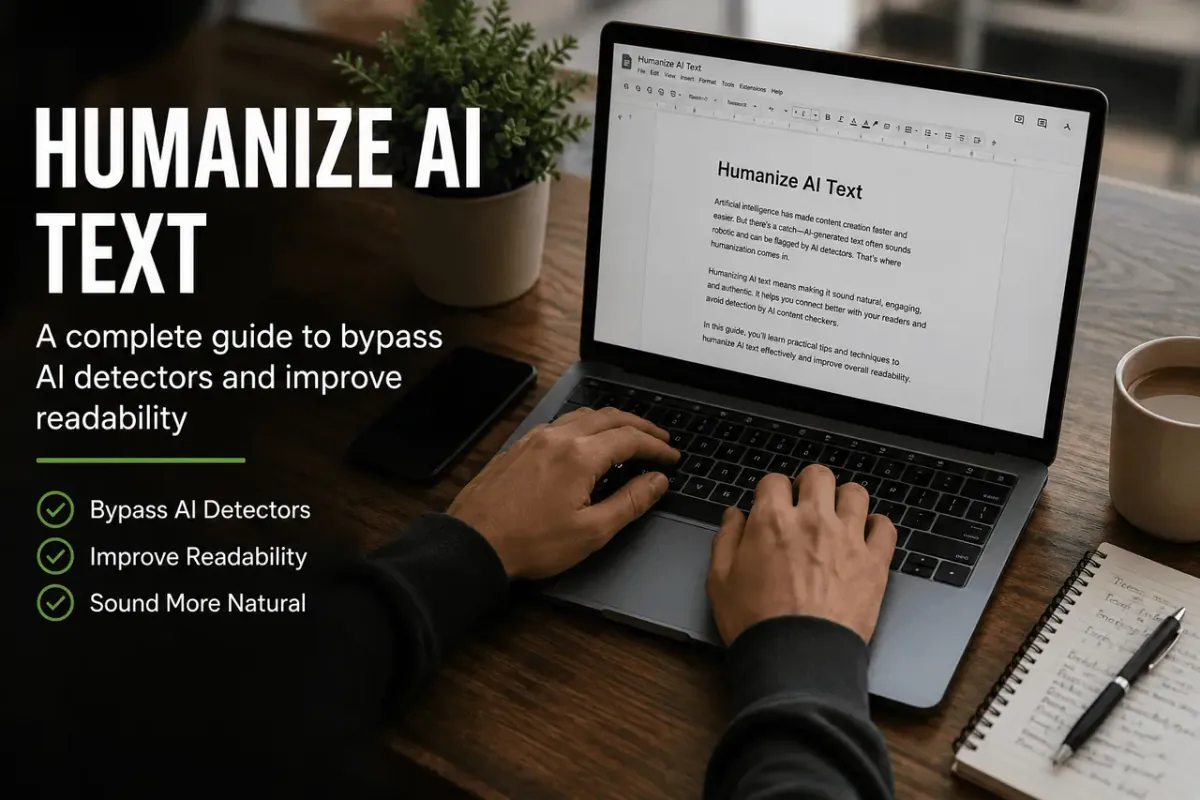
AI writing tools are fast, but the output often reads stiff, repetitive, or oddly generic. If you're trying to make AI text sound human with a clear editing process, this guide shows you how to improve rhythm, voice, and detail without losing meaning. You can also try the AI Humanizer to compare your own edits with a free browser-based workflow.
Why AI Text Sounds "AI" in the First Place
Before fixing the problem, it helps to know what causes it. AI-generated text tends to share a few telltale habits:
- Predictable sentence rhythm: Sentences land at similar lengths, one after another, with little variation.
- Overused transition words: Words like "moreover," "furthermore," and "in conclusion" show up constantly.
- Vague hedging: Phrases like "it's important to note" or "in today's fast-paced world" pad the text without saying much.
- Symmetrical structure: Every section has the same number of bullet points, the same paragraph length, the same setup.
- Flat tone: No personality, no opinion, no friction — just smooth, safe phrasing.
None of these make the content wrong. They just make it sound machine-written, which can hurt trust, engagement, and even search rankings if it reads as low-effort.
How to Make AI Text Sound Human Without Losing Meaning
A lot of people try to Make AI Text Sound Human by swapping in synonyms or running it through a thesaurus pass. That usually backfires — it can actually make the text sound more artificial, because the words change but the underlying rhythm and logic stay robotic.
The better approach is to edit at three levels:
- Structure — vary sentence and paragraph length
- Voice — add a point of view, not just information
- Specificity — replace generic claims with concrete detail
Step 1: Break the Rhythm
Read your AI draft out loud. If every sentence is roughly the same length, that's the first thing to fix.
Before (AI-typical): Email marketing remains an effective channel for businesses. It allows companies to reach customers directly. Additionally, it provides measurable results that can be tracked over time.
After (humanized): Email still works. Not because it's flashy, but because it lands directly in someone's inbox — and you can actually measure what happens next.
Notice the second version mixes a short punchy sentence with a longer one, and drops the formal connector ("Additionally").
Quick rule: If you can read three sentences in a row at the exact same pace, rewrite one of them.
Step 2: Add a Real Point of View
AI text tends to present information neutrally — which is useful for facts, but flat for anything meant to persuade or connect. Humans write with opinions, even small ones.
Try adding:
- A judgment call ("this is the one step people skip")
- A mild caveat ("it won't work for every team, but...")
- A reaction ("which is more useful than it sounds")
These small insertions signal a person evaluating the content, not just summarizing it.
Step 3: Replace Generic Claims With Specifics
This is the single highest-leverage edit. AI models default to abstraction because it's safe. Humans default to detail because they actually know the thing.
| Generic (AI) | Specific (Human) |
|---|---|
| "This tool offers many benefits" | "This tool cuts the editing step from twenty minutes to about five" |
| "Many people struggle with this" | "Most people I've worked with get stuck right at the outline stage" |
| "It's a great option" | "It's the option I'd pick if you're short on time" |
Specifics also tend to help readability and trust — vague claims read as filler, concrete ones read as expertise.
Step 4: Trim the Filler Phrases
Go through your draft and cut (or rewrite) these common AI tells:
- "In today's fast-paced world..."
- "It's important to note that..."
- "This article will explore..."
- "In conclusion..."
- "Overall, it is clear that..."
None of these add meaning. They're scaffolding — useful for an AI model structuring a response, useless for a reader who just wants the point.
Step 5: Let Sentences Connect Naturally
AI text often over-explains the logic between ideas with heavy connectors ("therefore," "as a result," "consequently"). Human writing usually just lets ideas sit next to each other and trusts the reader to follow.
Before: The software is cloud-based. Therefore, it can be accessed from any device. As a result, teams can collaborate remotely.
After: It's cloud-based, so any device works. Teams collaborate from wherever they are.
Step 6: Read It Back as a Listener, Not a Writer
Once you've made the edits above, read the piece again — but pretend you're hearing a person explain it to you over coffee. Anywhere it sounds like a report instead of a conversation, that's a spot to revise.
This step matters more than any single rule, because "human-sounding" isn't really about specific words — it's about whether the writing has a person's judgment behind it.
What About AI Text Humanizer Tools?
There's a whole category of AI text humanizer free tools that claim to instantly rewrite AI content. A few things worth knowing before relying on one:
- They help with surface variation: They are good for sentence structure and word choice.
- They can't add expertise: A tool can't tell a story from experience or make a judgment call.
- AI detection is unreliable: Detectors regularly misflag human writing and miss AI writing. Focus on quality over "beating" a detector.
- Meaning can drift: Automated rewriting sometimes changes emphasis. Always proofread the output.
A Quick Before-and-After
AI draft:
Remote work has become increasingly popular in recent years. It offers numerous benefits for both employees and employers. Furthermore, it can lead to increased productivity and improved work-life balance. However, it is important to note that remote work also presents certain challenges that organizations must address.
Humanized version:
Remote work isn't a trend anymore — it's just how a lot of teams operate. Employees get flexibility, employers often see fewer overhead costs, and for a lot of people, the work-life balance is genuinely better. That said, it's not free of friction. Communication gets harder, and "always online" can quietly turn into "never offline."
The Takeaway
Humanizing AI text isn't about disguising that AI was involved — it's about making sure the final piece actually sounds like someone with a perspective wrote it. Vary your rhythm, add a real point of view, get specific, cut the filler, and read it back like a listener.
FAQs
How can I humanize AI text without changing its meaning?
The best way is to keep the original ideas intact while improving sentence flow, adding natural language, and removing repetitive phrases. Focus on clarity rather than a total rewrite.
What is the best free AI text humanizer?
There are many tools available, but the "best" one depends on your needs. Look for tools that improve readability and preserve meaning rather than just swapping words for synonyms.
Do AI humanizer tools really work?
They can make content sound more natural and improve structure, but they aren't perfect. Human editing is still required to ensure context and nuance are preserved.
Can AI detectors identify humanized AI content?
Detectors are not 100% accurate. Instead of focusing only on detection scores, prioritize creating useful, natural, and reader-friendly content.
Why does AI-generated content sound robotic?
It follows predictable patterns, repeats similar sentence structures, and avoids strong opinions or personal experiences. Human writing includes personality and natural variation.