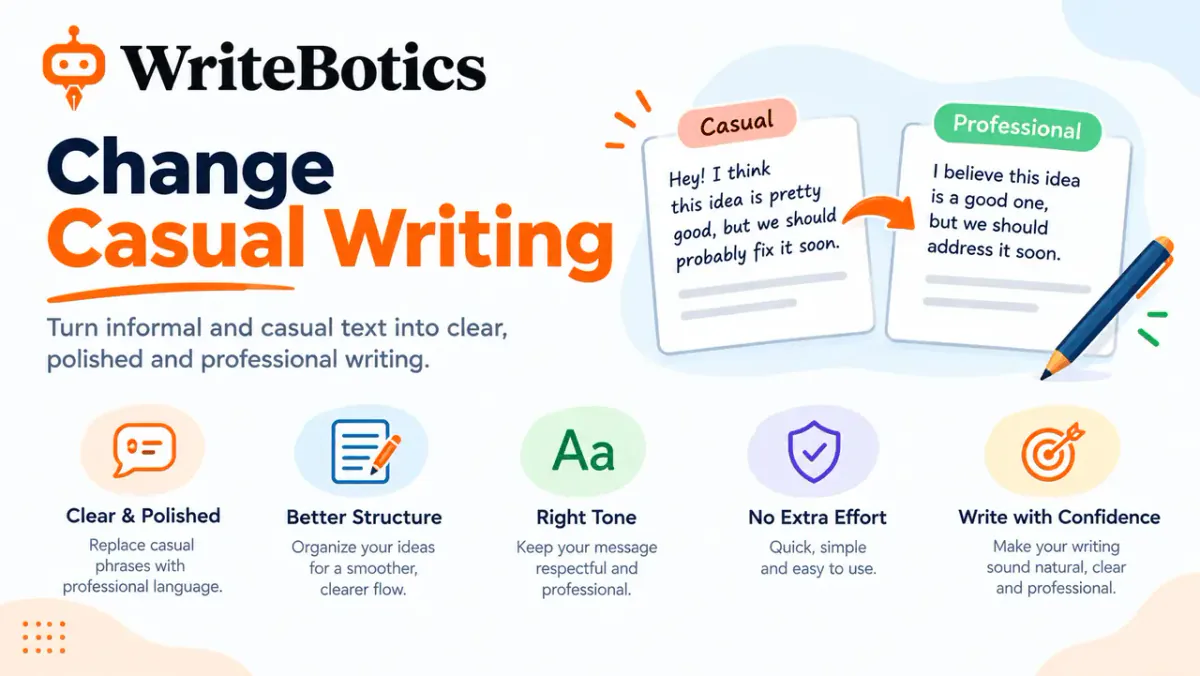
Professional writing does not have to sound stiff, complicated, or overly formal. To change casual writing into a professional tone, focus on clear word choice, complete sentences, appropriate formality, and a style that matches your reader and purpose.
A professional version should still sound natural. The goal is not to replace every simple phrase with a more sophisticated one. It is to remove language that feels too conversational, vague, emotional, or informal for the situation while keeping the original meaning.
Whether you are editing a workplace email, business report, proposal, customer message, or website copy, the same basic process works: understand your audience, tighten the wording, improve sentence structure, and then review the finished draft for tone.
What Makes Writing Sound Professional?
Professional writing is usually clear, direct, respectful, and appropriate for its audience.
It does not necessarily use long words or formal expressions. In fact, unnecessarily complicated language can make business writing harder to understand.
Compare these two sentences:
Hey, just wanted to let you know that we're having some issues with the project, so we might need a little more time.
A more professional version could be:
I wanted to let you know that we have encountered some project delays and may need additional time to complete the work.
The second version removes casual phrasing such as “Hey,” “just wanted to let you know,” and “a little more time.” However, it does not change the underlying message.
Five principles of a professional tone
When you change casual writing to professional writing, focus on these principles:
- Be direct. State the main point without unnecessary introductions.
- Choose precise words. Replace vague or slang-heavy expressions with specific language.
- Use complete sentences. Avoid fragments and overly conversational constructions.
- Match the level of formality to the situation. A client report may require more formality than an internal team message.
- Keep your natural voice. Professional does not mean robotic.
A useful test is to ask: Would I feel comfortable sending this to the intended reader in a workplace setting?
If the answer is yes, the tone may already be appropriate.
Change Casual Words and Phrases
One of the fastest ways to make writing more professional is to identify words that sound like everyday conversation and replace them with clearer alternatives.
You do not need to change every casual expression. Some conversational language can make professional writing feel approachable. The goal is to remove wording that distracts from your message.
Common casual-to-professional word swaps
| Casual wording | More professional alternative |
|---|---|
| a lot of | many, significant, substantial |
| stuff | materials, items, information, details |
| things | issues, tasks, factors, items |
| get | receive, obtain, become, understand |
| fix | resolve, correct, address |
| help out | assist, support |
| check out | review, examine |
| look into | investigate, review |
| deal with | address, manage, resolve |
| put off | postpone, delay |
| talk about | discuss |
| find out | determine, identify |
| start up | begin, launch |
| keep an eye on | monitor |
| right away | immediately, promptly |
| okay with | comfortable with, in agreement with |
| no big deal | not a significant issue |
| I think | I believe, or state the point directly |
| just wanted to | wanted to |
Context matters. For example, “get” is not inherently unprofessional. In many sentences, it is the clearest choice:
We need to get the report to the client by Friday.
There is no reason to replace “get” simply because you are trying to sound professional.
Instead, change wording when the alternative improves precision or fits the context better.
Replace Slang, Filler, and Texting Language
Casual drafts often contain expressions that work well in conversation but feel out of place in professional communication.
For example:
We need to sort this stuff out ASAP because the client is getting pretty annoyed.
A more professional version is:
We need to resolve these issues promptly because the client has expressed concerns about the delay.
The revised version removes slang and vague language while making the situation clearer.
Watch for:
- “ASAP” when a specific deadline is available
- “kinda” or “sorta”
- “you guys”
- “no worries”
- “stuff”
- “super”
- “really” used repeatedly
- emojis in formal communications
- texting abbreviations
- excessive exclamation marks
- conversational filler such as “basically” or “you know”
Not every informal expression is automatically wrong. The important question is whether it suits the reader and purpose.
Improve Sentence Structure
Word choice is only part of the transformation. Sentence structure can have an even bigger effect on how professional your writing sounds.
Casual writing often mirrors speech. People add ideas as they think of them, resulting in long sentences, repeated phrases, or unclear connections.
Consider this example:
I wanted to reach out because we looked at the numbers and there are some things that don't really look right, and we think we should probably talk about them before we move forward.
A more professional version is:
We reviewed the figures and identified several issues that should be addressed before we proceed. I would like to discuss them with you.
The second version is easier to scan because each sentence has a clear purpose.
Keep one main idea in focus
When a sentence contains several independent ideas, consider splitting it.
Instead of:
The team completed the first stage yesterday and they are now reviewing the results while the manager is preparing the next phase and we are waiting for approval from the client.
Try:
The team completed the first stage yesterday and is now reviewing the results. The manager is preparing the next phase while we wait for client approval.
Professional writing is not about making every sentence short. It is about making relationships between ideas easy to understand.
Use active voice when it improves clarity
Active voice often makes business writing more direct.
Instead of:
The report was reviewed by the marketing team before it was sent to the client.
Use:
The marketing team reviewed the report before sending it to the client.
Passive voice is sometimes appropriate, particularly when the action matters more than the person responsible. Do not remove it mechanically. Use whichever construction communicates the point most clearly.
Remove unnecessary introductory phrases
Phrases such as these can make writing feel heavier than necessary:
- “I just wanted to say that...”
- “I am writing this email in order to...”
- “It is important to note that...”
- “At this point in time...”
- “Due to the fact that...”
For example:
I am writing this email in order to ask whether you have reviewed the proposal.
Becomes:
Have you reviewed the proposal?
The professional version is shorter and more direct without being rude.
How to Change a Casual Email Into a Professional Email
Emails are one of the most common places where people need to adjust their tone.
Consider this casual version:
Hey Sarah, Just wanted to check if you got the files I sent over yesterday. Let me know if you need anything else. Thanks!
For a client or external business contact, you might write:
Hello Sarah,
I wanted to confirm that you received the files I sent yesterday. Please let me know if you need any additional information or documents.
Best regards,
Notice that the professional version does not become excessively formal. It simply removes casual phrasing and makes the request clearer.
Professional email tone checklist
Before sending a workplace email, check:
- Is the purpose clear in the first few sentences?
- Is the greeting appropriate for the relationship?
- Have you removed unnecessary filler?
- Are requests specific?
- Have you avoided slang and texting abbreviations?
- Is the closing appropriate?
- Does the message remain friendly rather than unnecessarily cold?
A professional email can still say “Thanks,” “I appreciate your help,” or “Have a great weekend.” Professional tone is about appropriateness, not emotional distance.
How to Change Casual Writing in a Report
Reports usually require more precision than everyday workplace messages.
Casual:
Sales were pretty good this month, but we had some problems with getting the new customers to stick around.
Professional:
Sales increased this month, although customer retention remains a concern.
The revised sentence is more concise and specific.
Another example:
Casual:
We tried a bunch of different approaches, but none of them really worked that well.
Professional:
We tested several approaches, but none produced the expected results.
The second version removes vague expressions such as “a bunch,” “really,” and “that well.”
Be careful with stronger claims
Professional writing should not exaggerate just to sound authoritative.
For example:
The new process completely solved the problem.
may not be appropriate if the process only reduced some of the issues.
A more accurate statement could be:
The new process reduced several of the issues identified during the initial review.
Professional writing depends on accuracy as much as tone.
What Not to Over-Formalize
One of the most common mistakes when trying to change casual writing into professional writing is going too far.
You do not need to turn:
Can you send me the report by Friday?
into:
I would be grateful if you would be so kind as to provide the aforementioned report at your earliest possible convenience.
The second version is formal, but it is unnecessarily complicated.
A better professional version is simply:
Could you send me the report by Friday?
Avoid inflated vocabulary
Using longer words does not automatically make writing more professional.
For example:
- “utilize” can often become “use”
- “commence” can become “start”
- “facilitate” may become “help” or “enable,” depending on context
- “approximately” may be appropriate when precision matters, but “about” can work in less formal contexts
Choose the simplest word that accurately expresses your meaning.
Do not remove all personality
Professional writing can be warm.
Compare:
Your request has been received and will be processed according to our standard procedures.
with:
Thanks for your request. We received it and will review it shortly.
The second version remains professional while sounding more human.
The right tone depends on your organization, audience, industry, and purpose.
A Simple Editing Process
If you have a casual draft that needs a professional tone, use this five-step process.
1. Identify the reader
Ask who will read the text and what they expect.
A message to a close colleague may be conversational. A proposal for a prospective client may need more formal language.
2. Mark casual expressions
Highlight slang, filler, vague wording, texting language, and phrases that sound like spoken conversation.
3. Simplify the structure
Split overloaded sentences, remove repetition, and make the main point easier to find.
4. Check the meaning
Compare the professional version with the original. Make sure you have not accidentally changed the facts, level of certainty, deadline, responsibility, or intended message.
5. Read it as the recipient
Do not only ask whether it sounds professional. Ask whether it is easy to understand and appropriate for the reader.
If you need a broader rewrite, you can use the WriteBotics Content Rewriter to create an alternative version and then compare it with your original.
For a separate mechanical review, the WriteBotics Grammar Checker can help you review grammar and sentence-level issues.
You can also follow the broader Writing Improver guide for a three-pass approach covering clarity, grammar, and tone.
Professional Tone Checklist
Before you send or publish your revised writing, run through this checklist.
Word choice
- Have I removed unnecessary slang?
- Have I replaced vague words where greater precision is useful?
- Are the words appropriate for the audience?
- Have I avoided unnecessarily complicated vocabulary?
- Have I removed repetitive filler?
Sentence structure
- Is the main point easy to find?
- Does each sentence have a clear purpose?
- Have I split overloaded sentences?
- Are requests and next steps specific?
- Is the grammar correct?
Tone
- Is the level of formality appropriate?
- Does the writing sound respectful?
- Is the tone consistent?
- Does it still sound natural?
- Have I avoided sounding overly stiff or robotic?
Accuracy
- Did the rewrite preserve the original meaning?
- Are dates, names, numbers, and deadlines correct?
- Did I accidentally make a claim stronger or weaker?
- Did I remove an important qualification?
- Have I reviewed the final version myself?
FAQs
How do I make casual writing sound professional?
Start by identifying slang, filler, vague language, texting abbreviations, and overly conversational phrases. Replace them with clear and precise wording, improve sentence structure, and adjust the level of formality to match your audience.
What words should I avoid in professional writing?
There is no universal list of forbidden words. However, slang, texting abbreviations, vague expressions such as “stuff,” and excessive filler can make some professional writing less clear. Focus on whether each word fits the reader and purpose.
Does professional writing have to sound formal?
No. Professional writing can be friendly, conversational, and approachable. The key is appropriateness. A client email, internal message, technical report, and marketing page may all require different levels of formality.
How can I make an email sound more professional without sounding rude?
Be direct while maintaining courtesy. State the purpose clearly, make requests specific, avoid blame-oriented language, and use a friendly closing when appropriate. Professional does not mean cold.
Should I use bigger words to sound more professional?
Usually, no. Choose the clearest word that accurately communicates your meaning. Unnecessarily complex vocabulary can make writing harder to understand without making it more professional.
Can I use contractions in professional writing?
Yes, depending on the context and style. Contractions such as “we’re,” “you’re,” and “can’t” can sound natural in many workplace emails and business communications. More formal documents may call for fewer contractions.
How do I know if my writing is too formal?
Read it aloud. If the wording sounds unnatural compared with how a professional would normally communicate with the intended reader, it may be too formal. Watch for unnecessarily long phrases, inflated vocabulary, and indirect sentences.
Should I rewrite my entire draft?
Not necessarily. If the content and structure are already strong, targeted edits may be enough. Rewrite larger sections when the casual tone affects clarity, organization, or consistency.
Final Takeaway
To change casual writing into a professional tone, do not simply make every sentence more formal. Instead, make the writing clearer, more precise, more appropriate for the audience, and easier to act on.
Start with the reader. Remove slang and unnecessary filler, improve sentence structure, choose precise words, and check that the revised version preserves the original meaning. Then read the finished draft once more to make sure it sounds natural.
The best professional writing is not the writing that sounds the most formal. It is the writing that communicates the right message clearly and appropriately.